Building ALICE Infra (Part 1): How I Started, and Why Docker Swarm
ALICE aims to be a digital teammate. To make it reliable, I needed an infrastructure that is simple, safe, and repeatable. For those who haven’t met ALICE yet, it’s an AI application designed to transform internal workflows into seamless, cross-functional collaboration. You can learn more about its origin and vision in this blog post.
Where I started
I started with one clear pain: I did not want to deploy manually anymore.
Manual deploys are slow and risky:
- steps get missed
- releases are inconsistent
- rollback is stressful
So my goal from day one was:
- Auto-deploy (no SSH, no manual steps)
- Add reliability early: restart, rollback, scaling
- Do it without heavy tooling (small team, simple ops)
That’s why I began by containerizing everything, then adding a lightweight orchestration layer.
What is Docker Swarm? (simple explanation)
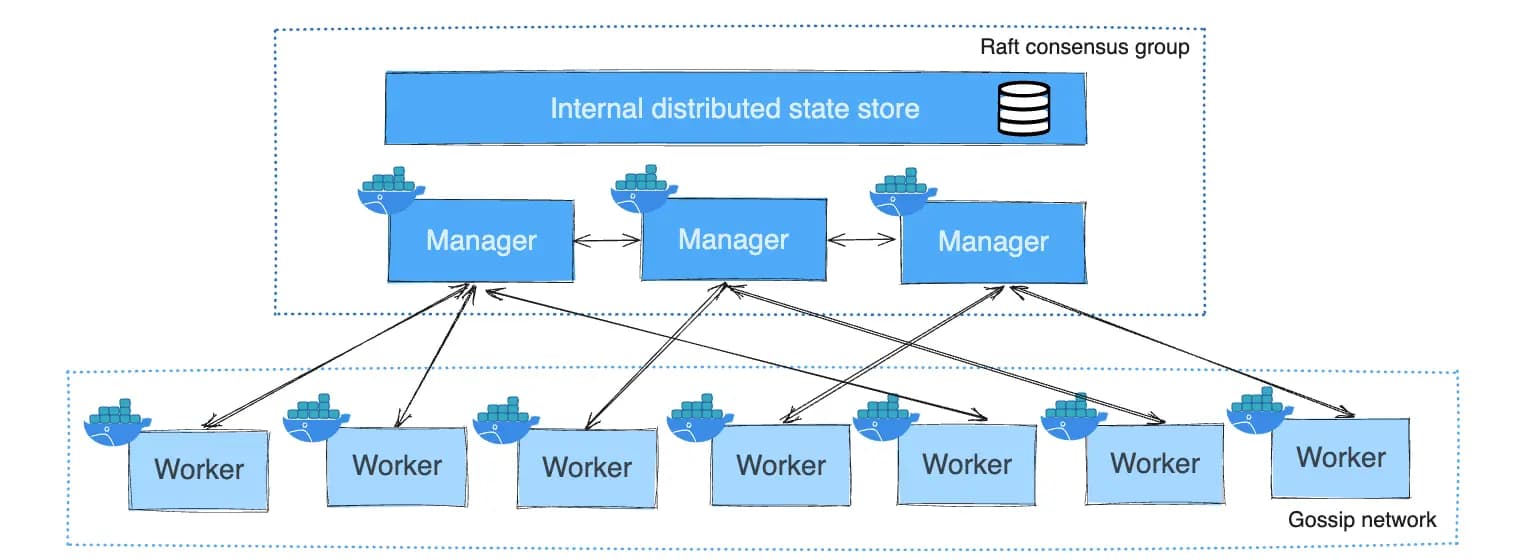
Docker Swarm is Docker’s built-in orchestration tool. It lets you run containers across multiple machines as one cluster.
In practice, Swarm gave me:
- Manager node: schedules services and maintains cluster state
- Worker node: runs containers
- Services: define what to run (image, env, replicas)
- Rolling updates: safer releases with lower downtime
- Overlay network: service-to-service communication inside the cluster
Why I chose Swarm for ALICE
I didn’t choose Swarm because it’s trendy. I chose it because it matched ALICE’s stage:
- Docker-first workflow (easy local → prod parity)
- Less complexity than Kubernetes
- Still gives the essentials: health, restart, scale, rolling deploy
- Fits a small setup: 2 nodes (1 manager + 1 worker)
This was the best balance between speed and stability.
The first system design decision
The core design decision was:
- Package ALICE into Docker images
- Run them as Swarm services
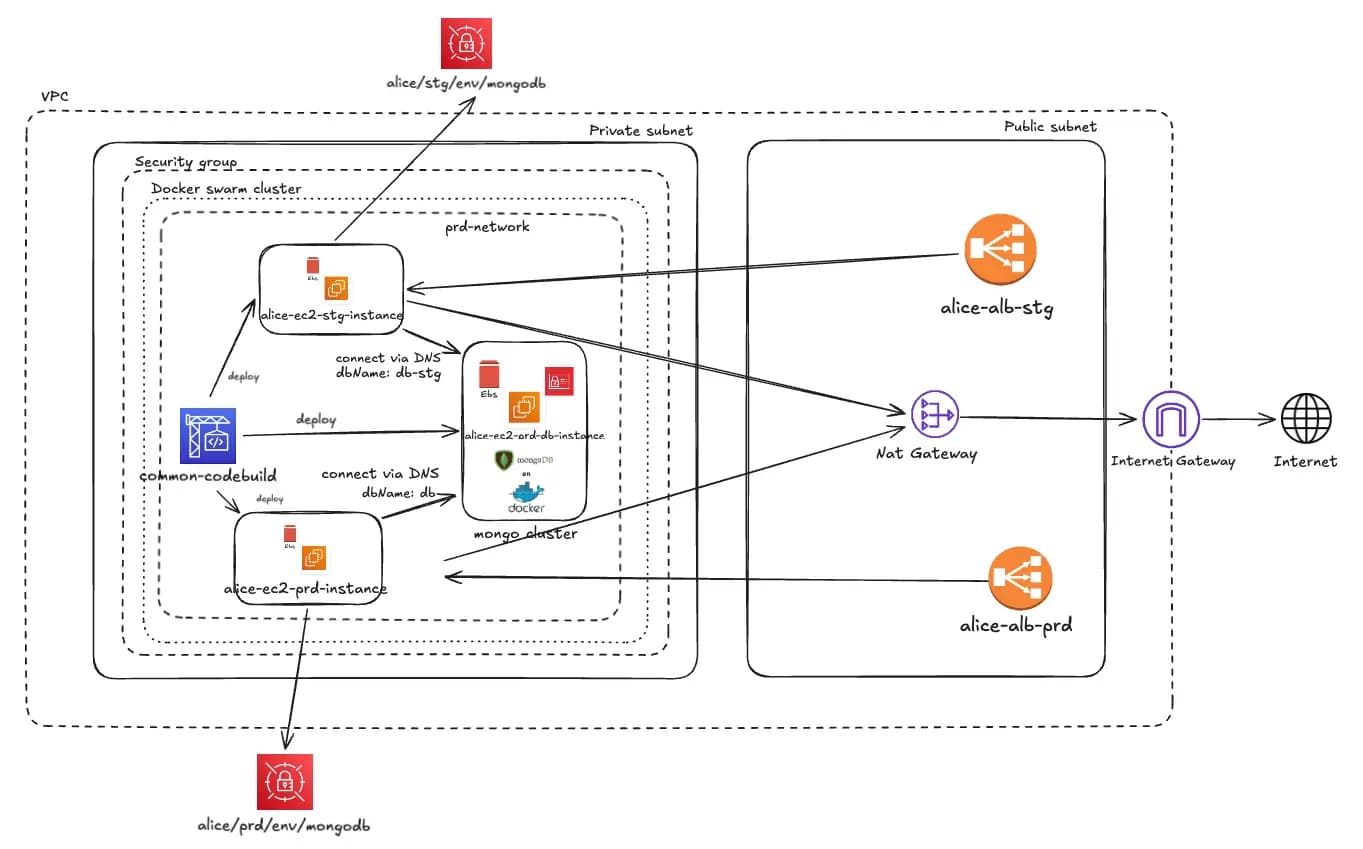
- Keep staging and production separated (different stacks/networks)
- Keep compute private (I’ll explain in Part 2)
This made deployments predictable: define the desired state, then apply it.
What was interesting (early lessons)
A few things surprised me:
- Simplicity is a feature. Fewer moving parts = fewer incidents.
- Networking matters more than CPU for app reliability.
- The biggest win is not scaling up. It’s deploying safely, every time.
Closing
In Part 2, I’ll share the production design on AWS: VPC, public ALB (TLS), private Swarm cluster, NAT, and the CodeBuild → ECR → deploy workflow.
Try ALICE now: https://app.heyalice.net/
Contact us at: contact@atware.asia